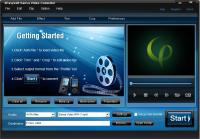
4Easysoft Sansa Video Converter helps you convert video and audio files to Sandisk Sansa compatible formats. It accepts a wide range of video formats ? WMV, VOB, AVI, MOV, FLV, ASF, MPG, HD files and MP4 output formats supported by Sansa.
4Easysoft Sansa Video Converter, as a professional Sansa Media Converter, which helps you convert video and audio files to Sandisk Sansa compatible formats. It accepts a wide range of video formats ? WMV, VOB, AVI, MOV, FLV, ASF, MPG, HD files and MP4 output formats supported by Sansa.
This excellent Sansa Video Converter could support whole Sansa family, such as the popular Sansa Fuze, Sansa Clip and Sansa E250 media player, etc. Also, 4Easysoft Sansa Video Converter supports many advanced functions and options to customize the conversion. With user-friendly interface, this Video to Sansa tool provides the easiest way to convert your videos/audios for Sansa player.
Key features:
1.Output different formats in one time converting
4Easysoft Sansa Video Converter helps you to get various output formats from input file(s) in one time converting.
2.Support all the Sansa family device type
4Easysoft Sansa Video Converter supports all Sansa models, such as Sansa Fuze, Sansa Clip, Sansa View, Sansa slotMusic Player. In addition, this powerful Sansa Converter can convert videos to iPod, iPhone, Zune, Sony Walkman, Creative Zen player, iRiver, etc.
3.Adjust video effect
4Easysoft Sansa Video Converter allows you to set the video Brightness, Contrast, Saturation. Checking Deinterlacing helps you to convert interlaced video to the progressive video, this function can optimize the video effect.
4.Preview and capture images
When you preview the movie and want to capture it, you can take a snapshot and save it.
5.Edit videos as you like
This Sansa Video Converter enriches your video to Sansa conversion in the way of a wide variety of video editing functions such as video crop, movie trimming.
6.Customize video converting
Set the Video Encoder, Resolution, Frame Rate, Video Bitrate. You can set the Audio Encoder, Sample Rate, Channels, Audio Bitrate. You also can save all the output settings as your preference.
Whats new in version 3.3.28:
1.Add your own watermark on output video. 2.Just one time conversion you can output versatile formats from input file(s). 3.Choose audio track and subtitle for your preference.
Requirements:
800MHz Intel or AMD CPU, or above; 512MB RAM or more
Operating system:
Win2000,Win7 x32,Win7 x64,WinOther,WinVista,WinVista x64,WinXP,Other
Release notes:
Major Update

Ripping Blu-ray discs and DVD movies to iPhone-supported video formats;Converting Blu-ray discs and DVD movies to audio formats like M4A, WAV and MP3;Ripping Blu-ray discs and DVD movies to iPod videos;Converting Blu-ray discs and DVD mo
Price: $35.95, Rating: 7, Downloads: 159
Download

Power DVD Rip Studio is a powerful DVD copying and ripping software which can rips DVD to AVI, DVD to MPEG, DVD to WMV, DVD to WAV, and DVD to SVCD formats...
Price: $29.95, Rating: 9, Downloads: 102
Download

WinX Bluray DVD iPhone Ripper helps you rip/convert Blu-ray DVD to iPhone iPod MP4 H.264 video for smooth playback on your iPhone as well as iPad, iPod, iPod touch and Apple TV.
Price: $19.95, Rating: 6, Downloads: 100
Download 
 4Easysoft Sansa Video Converter 3.3.28 details